Introduction
About this guide
Tip
This user guide for Odoo 18 is designed to support you both in getting started and in the daily use of your Odoo system. It covers the core features and the essential processes you will meet every day. The document is structured so that it can be read right through, for thorough training, or consulted on a particular point as the need arises.
What is Odoo?
Odoo is a complete suite of business applications covering the whole range of an organisation's needs: sales, CRM, purchasing, inventory, accounting, manufacturing, project management, human resources, website and e-commerce. All these applications are fully integrated with one another, which gives a smooth and consistent user experience.
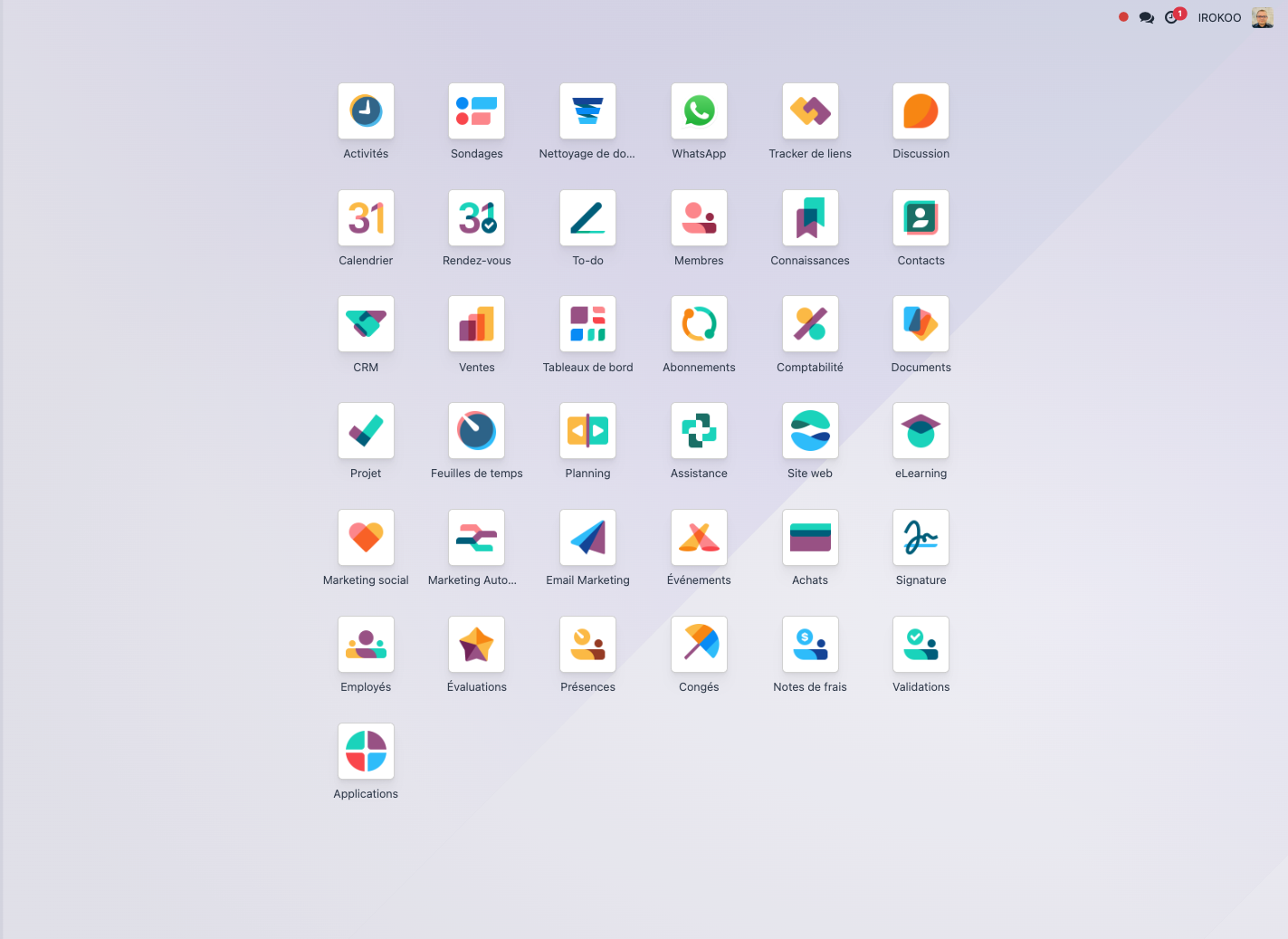
Odoo comes in two editions:
- Odoo Community Edition: the free open-source edition with the essential features.
- Odoo Enterprise Edition: the full edition, which adds advanced features, official support and guaranteed updates.
The founding principles of Odoo
A modular approach
Odoo works on a modular principle: you choose the applications you need and can add others as your business develops. Every application shares the same database, which keeps information consistent across the system.
Tip
In Odoo 18, installing applications is faster still thanks to optimised dependency handling, which shortens deployment time considerably.
Hosting options
Odoo offers several hosting arrangements to answer the needs of different businesses:
- Odoo Online (SaaS): hosted in the cloud by Odoo. - immediate go-live; - automatic updates; - maintenance handled by Odoo; - a monthly or yearly subscription including the hosting; - ideal for small and medium-sized businesses wanting a quick start with no technical infrastructure.
- Odoo On-Premise: hosted on your own servers or infrastructure. - full control of the environment; - advanced customisation of the code; - direct integration with your internal systems; - updates handled on your own schedule; - suited to businesses with specific requirements or regulatory constraints.
- Odoo.sh: a platform-as-a-service for Odoo. - development, test and production environments; - Git integration for versioning the code; - automated deployment; - easy handling of branches and versions; - a hybrid solution, ideal for projects that need specific development.
Note
The choice of hosting depends on your customisation needs, on your internal technical resources and on your security or data confidentiality constraints.
Client-server and responsive architecture
Odoo 18 rests on a modern architecture:
- a responsive web interface suited to every device (desktop, tablet, smartphone);
- dedicated mobile applications for iOS and Android;
- a full REST API for integration with other systems;
- an OWL (Odoo Web Library) component architecture for a responsive user interface.
Integrated workflows
The Odoo applications are built to work together seamlessly. For example:
- a confirmed quotation can create a delivery order automatically;
- receiving products can generate a vendor bill;
- a paid invoice updates your accounting automatically;
- a service contract generates recurring invoices automatically.
Note
This native integration avoids double entry and considerably reduces the risk of error, while giving full traceability of the transactions.
Customisation and flexibility
Odoo 18 offers several levels of customisation to fit your own processes:
- straightforward configuration through the standard user interface;
- Odoo Studio (Enterprise) for no-code customisation of forms, views and fields;
- advanced automation rules with conditional triggers;
- creation of custom reports and dashboards;
- development of bespoke modules, for very specific needs.
Collaboration and communication tools
Collaboration is at the heart of Odoo 18:
- messaging built into every document (the chatter);
- handling of activities and reminders;
- real-time discussions and topic channels;
- document sharing with fine-grained access control;
- shared calendars and synchronisation with outside tools.
Compliance and localisation
Odoo 18 is built to meet legal and tax requirements in many countries:
- charts of accounts preconfigured by country;
- automated tax handling (VAT and others);
- electronic invoices compliant with local regulations;
- export formats compatible with official filings;
- regular updates to keep legal compliance.
How to use this guide
Structure of the document
This guide is organised into chapters covering the various features of Odoo 18:
- First steps with Odoo: a quick start and the essential actions.
- The interface: to get familiar with the Odoo environment.
- Contact management: creating and handling customers, vendors and prospects.
- Product management: configuring products, services and variants.
- Sales management: from quotation to invoice.
- CRM: customer relationship management.
- Purchase management: from requests for quotation to vendor payment.
- Inventory management: receipts, deliveries and stocktaking.
- Accounting and finance: invoicing, payments and financial reports.
- Manufacturing: production and manufacturing orders.
- Project management: organising tasks and tracking time.
- Analysis and reporting: dashboards and decision-support tools.
- Workflows and automation: automation rules.
Tip
Each chapter can be consulted on its own, but we recommend reading at least the "First steps" and "The interface" chapters before tackling the business modules.
Ways of reading
This guide is designed to suit different kinds of user and different learning styles:
- Beginner: if you are new to Odoo, start with the "First steps" chapter and work through the chapters in order, for a gradual understanding.
- User in a hurry: if you have a particular task to carry out, go straight to the matching chapter. To draw up a quotation, for instance, go directly to "Sales management".
- Administrator: if you are an administrator or a developer, you can work through the chapters in order or consult them independently as the need arises.
- Trainer: if you are a trainer, you can use this guide as material for your sessions. The chapters can be followed in order or selected according to the training programme.
Conventions used
To make reading easier, this guide uses the following conventions:
- Bold text: interface elements (menus, buttons, fields).
- Italic text: important concepts or specific terms.
- Underlined text: references to other sections of the document.
- Fixed-width text: code or technical commands.
Step-by-step procedures are presented as numbered lists, and coloured boxes highlight the points that deserve attention.
Relation with the exercise book
This theoretical guide comes with a practical exercise book which lets you apply the concepts presented through a concrete implementation case for a manufacturing company. Each main section of this guide refers to the matching step in the exercise book.
Further resources
For a deeper understanding and for complementary material, you can consult:
- Online documentation: www.odoo.com/documentation/18.0
- Tutorial videos: www.odoo.com/slides
- IROKOO training: www.irokoo.fr/formations-odoo