Design office
SolidWorks and Odoo, without typing it twice
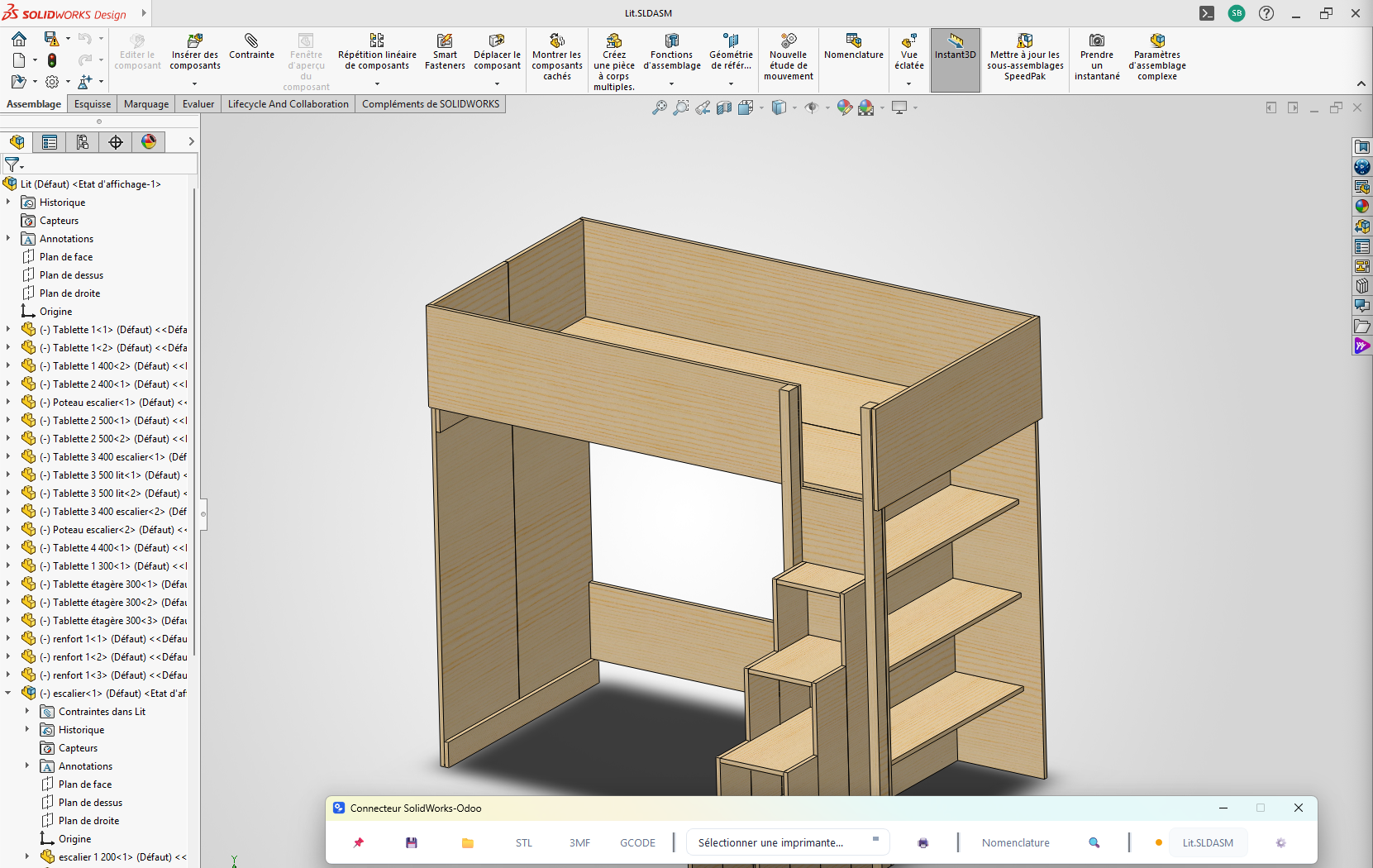
Before developing for Odoo, I spent fifteen years in industry, a good part of it in a design office working with SolidWorks. The SolidWorks-Odoo connector comes from that ground: the part you draw becomes the ERP product, and the assembly its bill of materials.
A shop-floor background
Design office and technical writing
3D models, assembly and detail drawings, illustrated spare parts catalogues and manuals for automatic machines, in SolidWorks. And already macros to drive SolidWorks.
Quality and methods
Sanitary certifications for products in contact with drinking water (ACS, WRAS, NSF 61), contribution to product design and improvement, technical manuals.
Two ERPs in production
Rollout of Cegid PMI then Odoo in a production environment: requirements, data migration, development, user training. Odoo projects since 2022, in the IROKOO network.
The SolidWorks-Odoo connector
A toolbar sitting above SolidWorks, on Windows. It links the open document to its Odoo product, and does the work when you save.
- Part or assembly saved: the product is found in Odoo by its reference (the file name) or created, and its id is written into the file.
- Custom properties (mass, volume or any other) copied to the product, following a mapping table you set.
- Drawing saved: the PDF of all sheets is attached to the product documents.
- STL, 3MF and G-code files sent to the product documents in one click.
- Drawing printed on the chosen printer, in the A3 or A4 format detected on the sheet.
The bill of materials, read from the assembly
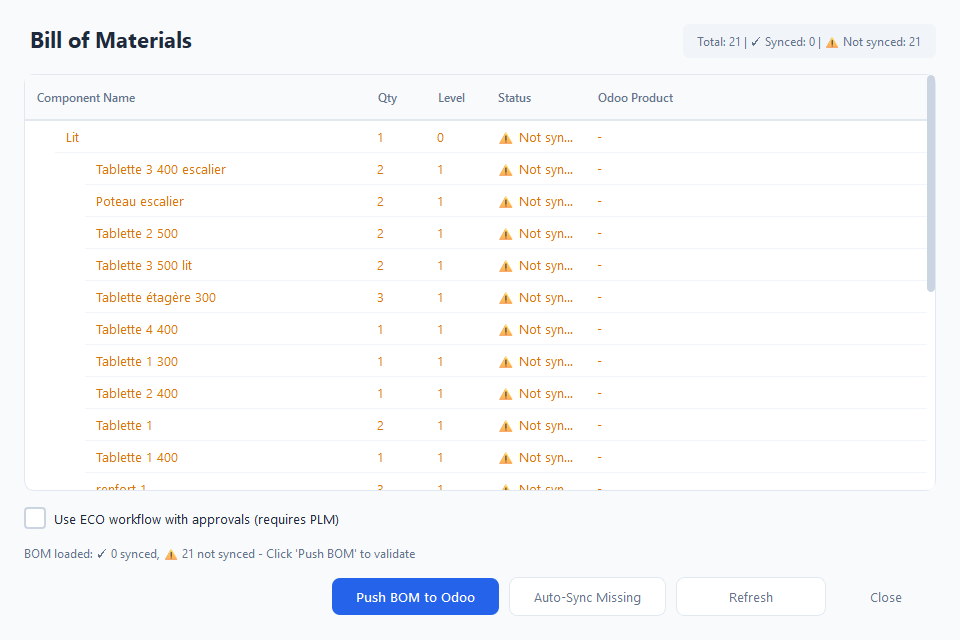
Components and quantities are read from the open assembly, level by level, and compared with Odoo products. Missing components are found or created in one click, then the bill of materials goes to Odoo. With the PLM app, it goes through an engineering change order and its approvals.
Find a part from Odoo
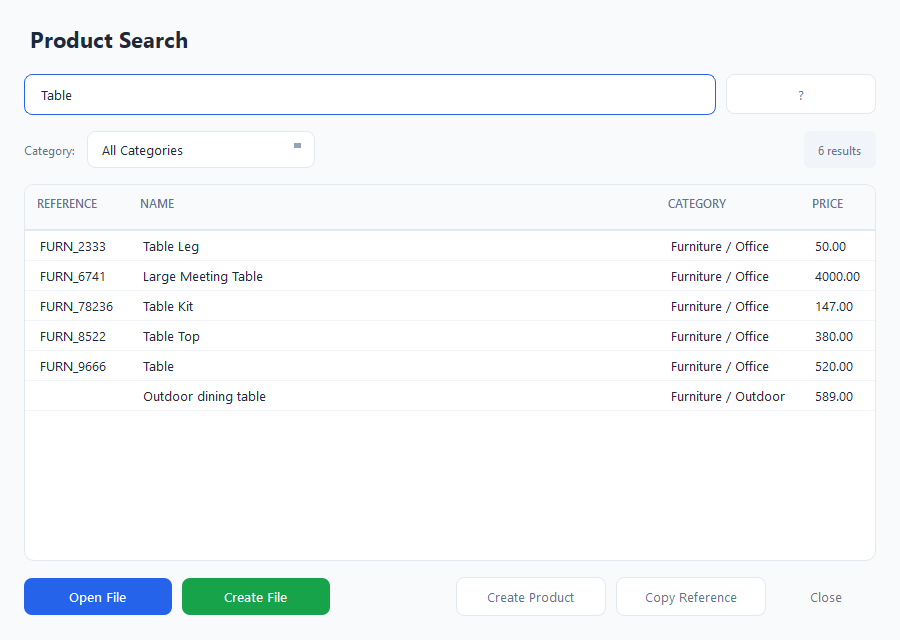
Search covers the reference, name and category of Odoo products. From a result: open the matching SolidWorks file, create it if it does not exist, create the product or copy its reference. New references can come from an Odoo sequence.
Technical side
- Windows, SolidWorks driven through its API.
- Odoo through the JSON-2 API (Odoo 19 and later) or JSON-RPC (earlier versions), with an API key.
- API key encrypted on the workstation.
- Interface in French and English.
On quotation
The connector is not sold in a store: it is installed and set up for your design office, your properties and your references, on quotation.